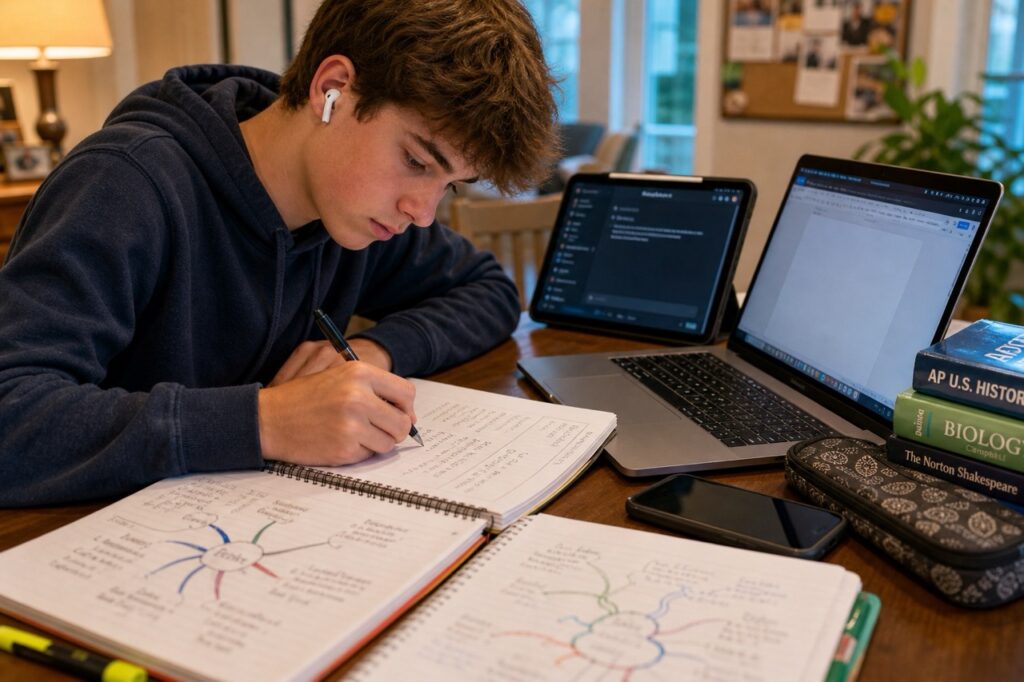
Walk past the kitchen table at 7:43 PM. Your teen has the laptop open, AirPods in, ChatGPT in one tab, the textbook in another, a Google Doc that is 95% empty, and a phone pulled up on the side “for a quick break.”
Nothing is being written down. Everything is being processed. And you are quietly wondering whether any of this is actually working.
Most parents are asking some version of the same question right now:
- What does good note-taking even look like in 2026?
- Should my teen still write things down by hand?
- Are AI study tools helping, or just doing the thinking for them?
Here is the research-backed answer, what to do about it, and the small shifts that change everything before finals.
What is the best note-taking method for high school students in 2026?
There is no single best method.
The right method depends on the subject, the format of the class, and how your teen plans to study from those notes later. Four methods consistently hold up under research:
- Cornell Notes. A two-column system with a cue column on the left, the note column on the right, and a summary at the bottom of each page.
- Mind Mapping. A visual, hierarchical layout with a central concept in the middle and branches radiating outward.
- Two-Column or T-Chart. A simpler version of Cornell, used most often for compare/contrast material.
- Outline Method. Traditional bullets and indents, best for linear content like history lectures or process-driven science classes.
Cornell remains the most studied note-taking system in education research. The format still works whether students use a notebook, a tablet, or a Notion template. The other three methods each earn their place in specific contexts. Here is how they compare.
| Method | Best For | Time Required | Retention Research | ADHD-Friendly? |
|---|---|---|---|---|
| Cornell Notes | History, English, science theory, any class with discussion | Moderate (5 to 10 min review after class) | Strongest evidence base; built-in retrieval practice | Yes, when the cue column is used |
| Mind Mapping | Hierarchical content (causes/effects, systems, themes) | Moderate during studying; longer for complex topics | Strong for visual processors and conceptual learning | Often very strong |
| Two-Column / T-Chart | Compare/contrast (vocabulary, themes, formulas) | Quick | Good for memorization-heavy material | Yes |
| Outline Method | Linear lectures, process-heavy science, AP courses | Fast in class; harder to review | Adequate; depends on how it is used | Mixed; can become a wall of text |
Should my teen take notes by hand or on a laptop?
Most teens are not taking notes by hand anymore. The research suggests most should be, at least some of the time.
The well-known 2014 Princeton/UCLA study by Mueller and Oppenheimer (“The Pen Is Mightier Than the Keyboard”) found that students who wrote notes by hand performed significantly better on conceptual questions than students who typed notes on a laptop.
The reason: typing tends to capture verbatim, while handwriting forces the brain to summarize, paraphrase, and compress, which is the part of note-taking that actually causes learning.
A 2023 meta-analysis by Morehead and Dunlosky complicated the picture, finding the difference is real but smaller than originally reported, and dependent on the type of material being captured.
Here is the practical takeaway:
- Hand-written or stylus-on-tablet for concept-heavy classes: history, English literature, philosophy, biology theory, AP Psych.
- Typed notes are acceptable for fast-paced, content-dense classes where capturing volume matters more than processing it in real time, such as some AP US History lectures.
- Audio recording is a backup, never a substitute, regardless of method.
The cultural reality is that schools are issuing Chromebooks and iPads. Many students with IEPs or 504 plans are required to type. The recommendation has to be practical, not nostalgic. The goal is to keep the cognitive work that handwriting builds in, even if the tool is digital. A stylus and a Cornell template in GoodNotes does this well. A blank Google Doc rarely does.
What is the Cornell note-taking method, and does it still work?
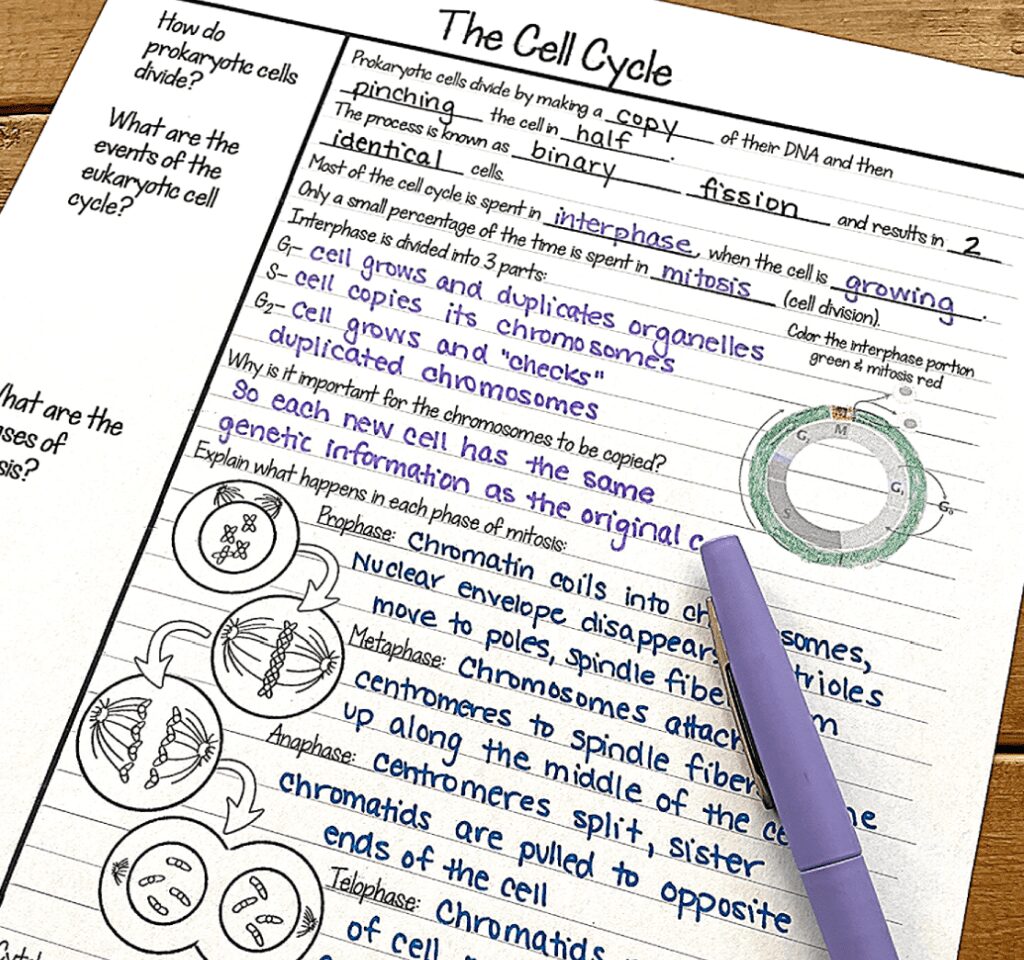
Cornell still works. It is the closest thing to a default standard worth teaching every high school student.
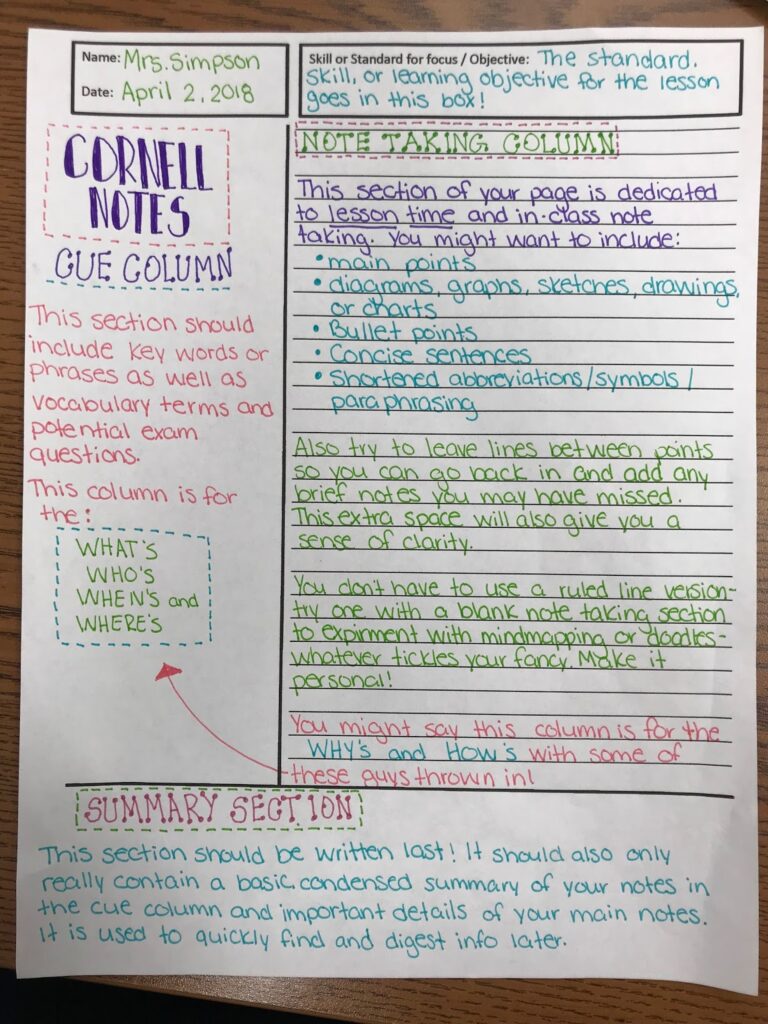
The format has three parts:
- Cue column (left, about one-third of the page). Left blank during class. Filled in afterward with key questions, terms, or prompts that match the notes on the right.
- Note column (right, about two-thirds of the page). Captures the lecture or reading in the student’s own words, using bullets, abbreviations, and short phrases.
- Summary section (bottom, two to three lines). Written within 24 hours of taking the notes. Forces the student to compress the entire page into a few sentences.
The method works because it builds three different kinds of learning into one system: encoding during class, retrieval practice through the cue column when studying, and consolidation through the summary. Most note-taking systems do one of these. Cornell does all three.
Digital Cornell templates exist in Notability, GoodNotes, OneNote, and Notion. The structural benefit holds when students actually use the cue column and summary. It collapses when students just type into the note column and never look back.
When does mind mapping work better than Cornell notes?
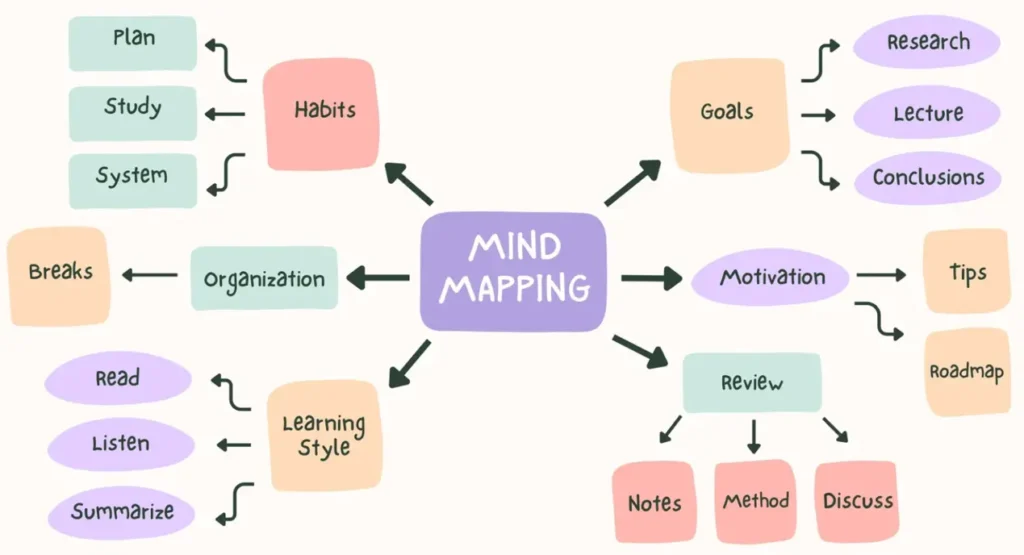
Mind mapping works better than Cornell when the material has clear hierarchical relationships, when the student is a strong visual processor, or when the subject is built around themes rather than facts.
Examples of when to reach for a mind map:
- A unit on the causes of the Civil War (one center, branches for political, economic, and social causes).
- The structure of a Shakespeare play (one center, branches for characters, themes, and key scenes).
- A biology unit on cell systems.
- An AP Psych unit linking theorists to schools of thought.
Mind mapping is also worth considering for ADHD students. Visual-spatial processing research suggests mind-mapped material is often retained better than linear notes, particularly when a student is asked to recall concepts on a test rather than reproduce them word for word.
To do it well, students should start with a central concept, branch out to major categories, then sub-branch to details. Color-coding helps. Apps like Coggle, MindMeister, and the free-form pages in Notability all support this without much of a learning curve.
How are AI tools changing how teens take notes?
AI is changing the workflow more than it is changing the methods. The classic methods still work. What has shifted is the steps before, during, and after note-taking, where AI is now woven in, sometimes helpfully, sometimes not.
Here is what teens in are actually using right now:
- In class: Otter.ai or built-in transcription apps to record and auto-transcribe lectures.
- During class: GoodNotes and Notability AI features that convert handwriting to text and generate page-by-page summaries.
- After class: ChatGPT or Claude to summarize their own notes, generate flashcards, or convert notes into practice questions.
- For reading: NotebookLM (Google’s tool for uploading PDFs and “asking” the textbook).
- For studying: Quizlet’s AI feature, which auto-generates question sets from uploaded notes.
Not all of this is bad. Some of it is genuinely useful. And some of it skips the part of the process where actual learning happens.
Where does AI help vs. where does AI hurt your teen’s learning?
AI helps with organization, retrieval, and review. AI hurts when it skips the encoding step, which is the act of putting the material into the student’s own words. That step is the entire reason taking notes works in the first place.
Decades of cognitive research, including Slamecka and Graf’s encoding hypothesis and the retrieval-practice work of Karpicke and colleagues at Purdue, point to the same conclusion: students remember what they actively process, not what passes by them.
Here is the breakdown.
| Note-Taking Task | Where AI Helps | Where AI Hurts |
|---|---|---|
| In-class lecture capture | Transcribing as a backup for accuracy | Replacing active note-taking entirely |
| Post-class review | Summarizing the student’s own notes | Summarizing a transcript the student never engaged with |
| Study guide creation | Pulling main ideas from existing notes | Generating a guide from a textbook the student didn’t read |
| Flashcard generation | Turning notes into spaced-repetition cards | Building cards from material the student never encoded |
| Reading comprehension | Clarifying confusing passages after a first read | Reading the textbook for the student |
| Practice questions | Generating quiz-style questions from notes | Providing answers to study from instead of practicing |
The practical principle: AI is fine on the back end and dangerous on the front end. A student who writes Cornell notes by hand during class and then uses ChatGPT to generate practice questions afterward is using AI well. A student who records the lecture, gets an AI summary, and never engages with the material is skipping learning entirely. The grade gap shows up on the next cumulative test, not the next homework assignment.
What is the right hybrid note-taking approach for 2026?
Here is what to ask your teen to try this week.
- Take notes by hand whenever the class allows it, even if that means using a stylus on a tablet.
- Use Cornell or a mind map structure, not free-form scribbling.
- Recording the lecture is fine as a backup, never as a replacement for active notes.
- AI is allowed after the student has produced their own notes, for flashcards, practice questions, and summaries-of-summaries.
- If a class requires typing, use a structured template (Notion Cornell, GoodNotes Cornell layout) and treat the cue column as non-negotiable.
- If your teen is using AI to skip taking notes entirely, the grade gap will surface on the next cumulative test, not the next homework.
The teens who will do best in May, June, and the AP exams ahead are the ones whose notes still require their brain to do the work, with AI as the assistant, not the author.
How does S4 teach note-taking in Fairfield County and Westchester?
Our 1:1 executive function coaching and our August Essential Study Skills Workshop both teach Cornell notes and mind mapping in the context of each student’s actual coursework, including how to integrate AI tools without skipping the cognitive work that makes notes useful in the first place.
The August workshop registration is open now. Both the Middle School and High School versions cover note-taking, time management, organization, and test prep, taught the way they need to be used in real classes, not as theory.
📞 Call us at 203-307-5455 to talk through what your teen needs.

Frequently Asked Questions
Should my teen take notes on a laptop or by hand?
Hand-written notes (or stylus-on-tablet) work better for concept-heavy classes and conceptual recall. Typed notes are fine for fast-paced, content-dense classes where keeping up with the volume matters most. The best approach is structure first, tool second. A messy laptop note is worse than a clean Cornell page on paper, and a structured digital Cornell template can match handwritten quality if the cue column is actually used.
Is it okay if my teen uses AI to summarize lectures?
Sometimes, yes. AI summaries help most when they are summarizing notes your teen has already taken in their own words, or when used as a review check after they have studied. AI summaries hurt when they replace the encoding step entirely, which is what happens when a student records the lecture, gets an AI summary, and skips engaging with the material themselves.
What note-taking method is best for ADHD students?
Mind mapping is often the strongest match for ADHD learners because it leans on visual-spatial processing instead of linear text. Cornell notes also work well for ADHD students when the cue column is treated as a built-in study tool. The least effective format for ADHD students is unstructured open-ended note-taking, where there is no scaffolding to fall back on when attention drifts.
Can mind mapping really replace traditional notes?
For some classes and some students, yes. Mind mapping replaces linear notes effectively for thematic, hierarchical, or systems-based content. It is less effective for fast-paced lectures with a lot of dates, definitions, and discrete facts. Many students benefit from using both the Cornell and outline format in class, and a mind map for review and synthesis afterward.
How do I get my teen to actually review their notes after class?
Build it into a fixed daily habit, not a discretionary one. The most effective approach is a 5-to-10 minute review the same evening, where the cue column gets filled in, and the summary section gets written. That short window converts a passive note into a study-ready document and roughly doubles long-term retention.
Does my teen need a tutor to learn Cornell notes, or can they pick it up on their own?
Most students can learn the Cornell format from a YouTube video. Most students do not actually use it consistently without coaching. The reason families come to S4 is rarely that their teen does not understand the method. It is that they have not built it into a system that holds up under the pressure of a real semester, and they need someone to teach them how.
Local Resources for Fairfield County and Westchester Families
S4 Study Skills serves families across Fairfield County, CT and Westchester County, NY, including Greenwich, Darien, Westport, New Canaan, Southport, Armonk, Scarsdale, and Chappaqua. Our August Essential Study Skills Workshop is held annually and registration is open now. We also offer 1:1 executive function coaching, study skills tutoring, SAT/ACT prep, and ADHD support year-round.

